Make the numbers mean something.
A practical companion for understanding the solar system you already own.
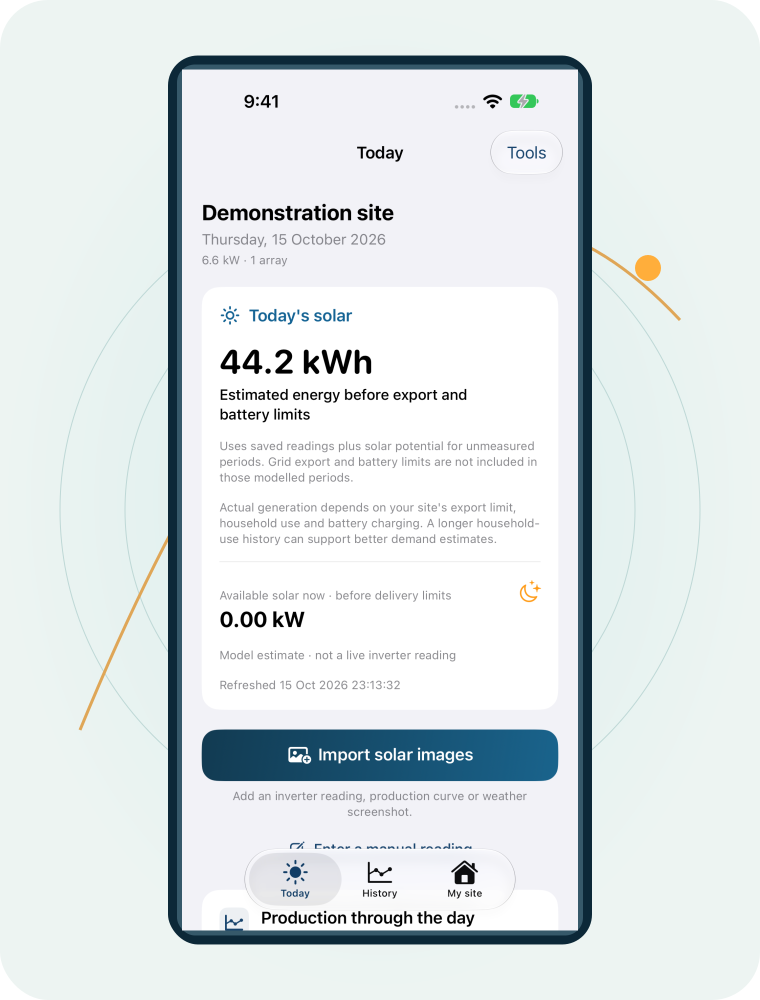
01 / Start with your own reading.
On Today, import an inverter dashboard or a PV curve screenshot. You can also enter values manually.
Keep the date, time labels, units and trace visible where possible. Review what the app detects before saving.
You choose the information to bring in. SolarSite does not need your inverter password.
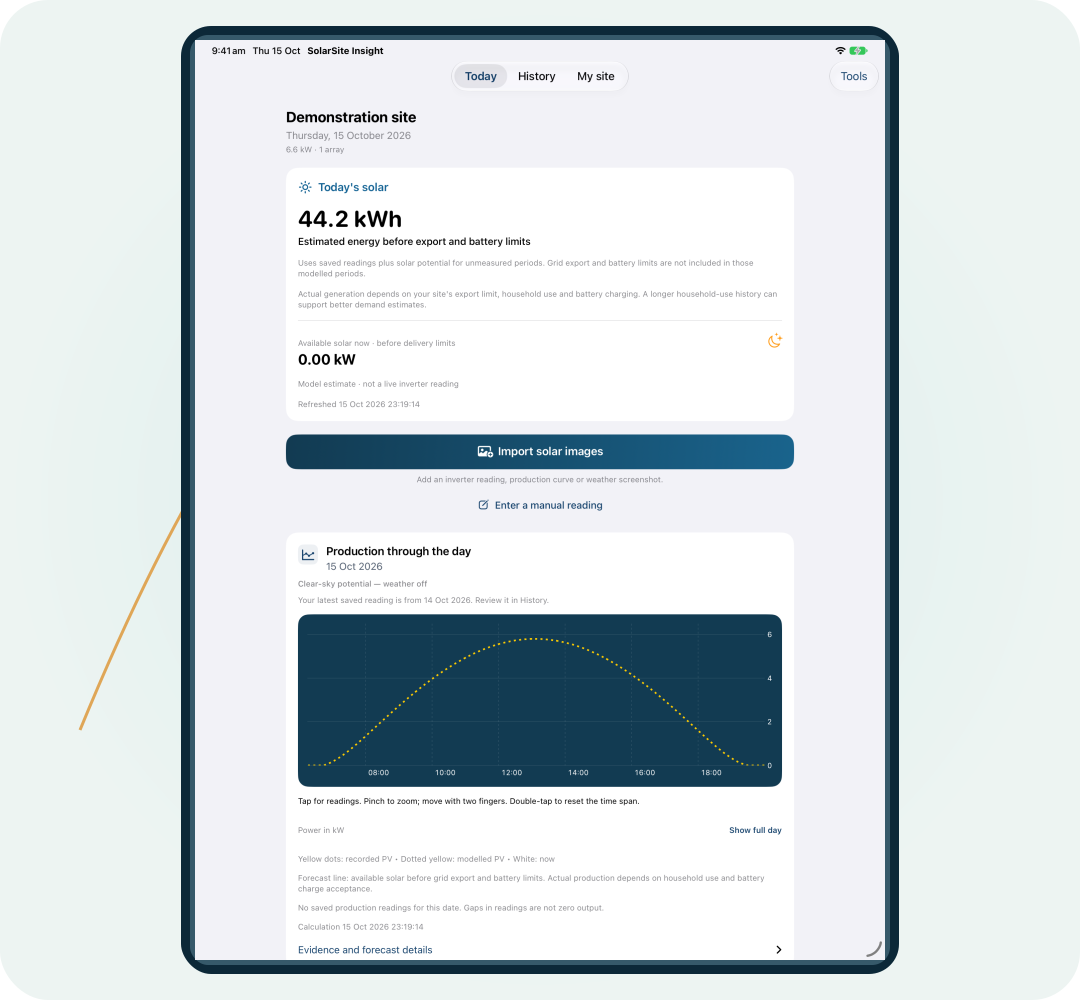
02 / Compare output in its proper context.
Compare recorded generation with the estimate for that time. Keep earlier readings alongside their original forecast context.
Solar potential and delivered production are different: a full battery, export limit or household demand can affect what your system delivers.
The comparison helps you investigate a difference; it does not diagnose an electrical fault.
Apple Weather · available in 1.2.1
Version 1.2.1 (113) adds optional hourly cloud forecasts from Apple Weather for your saved solar site. These fill otherwise uncovered forecast hours without applying cloud effects twice.
Forecasts refresh when requested and about every 15 minutes while the app is active and both weather settings are enabled. SolarSite combines the weather with site geometry and reviewed shade; the result is a SolarSite estimate, not an Apple-issued solar forecast.
Apple Weather is included in public version 1.2.1. There is no continuous background monitoring, live cloud-shadow tracking or guaranteed output.
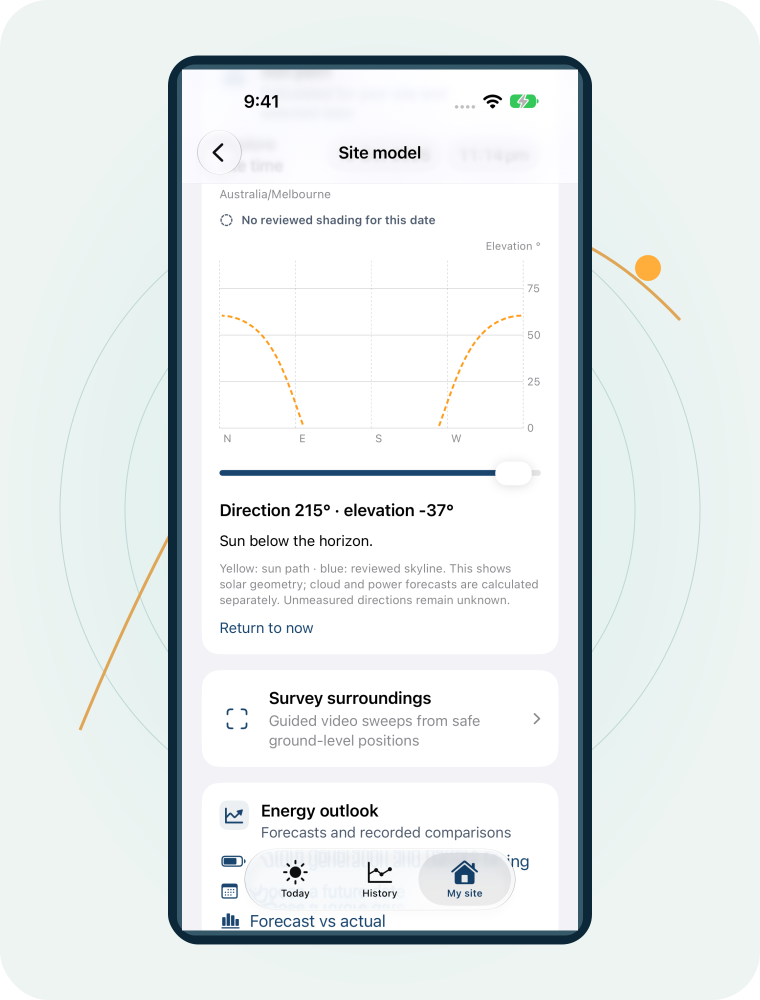
03 / Explore sun and shade.
Open My site > Site model to explore the sun path, surroundings and a reviewed 3D plan for your site and selected date. Review photo boundaries and supported guided AR capture from safe ground-level positions.
Check the camera direction and viewpoint relative to your panels before applying eligible shade evidence.
Ordinary photographs do not establish exact object distances. Missing or uncertain measurements remain uncertain.
Useful details, clearly explained.
View a limited summary of saved site and solar information on your paired watch. It is saved information with a timestamp, not live inverter telemetry.
Record your tariff rates and supported export-credit rules. Planning uses editable assumptions; it is not a retailer connection or a complete bill calculation.
Automatic learning of household usage is not currently implemented. Better information about household load can improve an estimate, but the app must not be treated as having learned it automatically.
Recognition depends on the screenshot layout, visible labels and image quality. Review all detected values before saving. Support for a manufacturer profile does not guarantee every model, firmware or app layout.
Camera heading, capture position, tree shapes, changing cloud and setup accuracy can affect results. The app provides estimates and reviewed evidence, not certified shade measurements or guaranteed savings.
No. In version 1.2.1 (113), no new forecasting subscription purchase or consumer WeatherKit account is required to use the optional Apple Weather fallback. Both Apple Weather and online weather must be enabled. Subscription sales are disabled in this version; this is not a promise about future pricing.
Screens shown here
Actual version 1.2.1 (113) app screens with fictional demonstration inputs. No private customer readings, coordinates or site photos are shown. See What’s new for release details.
Start with one reading.
Build a clearer record of your solar, one comparison at a time.